
The Model Y Screen Got Bigger. Now There Is More to Protect.
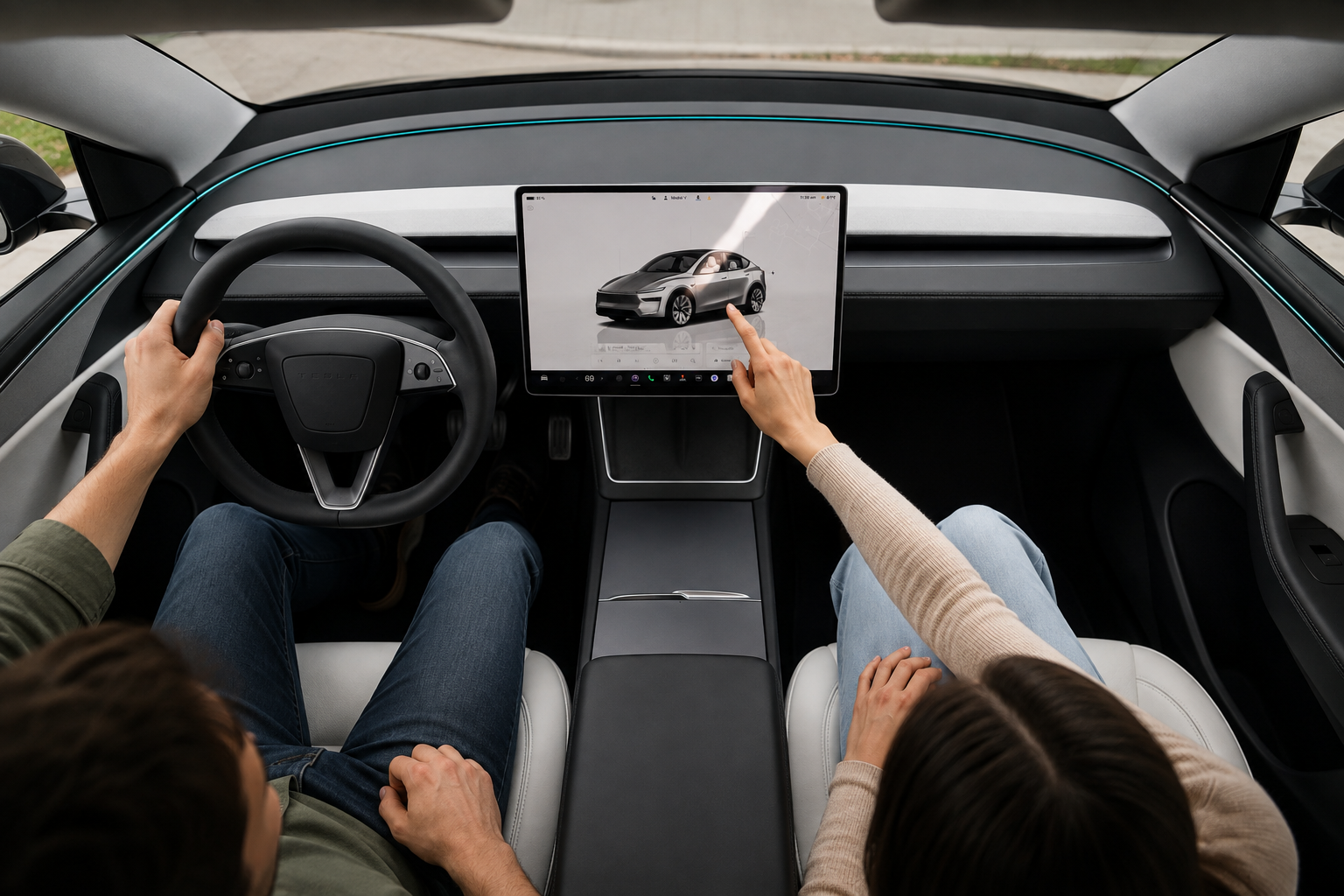
The touchscreen has always been the center of the Model Y experience.
Navigation. Climate. Music. Cameras. Vehicle controls. Charging. Nearly everything you interact with eventually brings your hand back to that display. Tesla itself describes the touchscreen as the control point for many functions that would traditionally require physical buttons.
So when Tesla made the screen bigger, it was not just another number on the spec sheet.
The centerpiece of the Model Y interior got an upgrade.
From 15.4 Inches to 16 Inches

The refreshed Model Y Juniper originally arrived with a 15.4-inch center display in earlier configurations. Teslarati’s current screen-protector fitment distinguishes those earlier Juniper vehicles from newer 16-inch-equipped versions, with a separate option for the larger screen used on newer production.
And the newer display is not simply larger.
Tesla describes its upgraded 16-inch center touchscreen as a higher-definition display with greater pixel density, faster response times and a near-borderless design.
Half an inch does not sound dramatic.
Sit in front of it and the difference matters much more.
The screen feels more prominent. Maps have more room. Vehicle visualizations stand out more. The entire dashboard seems to revolve around it.
There is just one downside.
The more noticeable the screen becomes, the more noticeable everything on the screen becomes too.
Fingerprints. Smudges. Dust. Reflections.
And eventually, maybe that first scratch.
Nobody Plans on Scratching Their Tesla Screen

That is the problem.
It probably will not happen because somebody intentionally mistreats the car.
It happens when a ring brushes the display.
When a passenger reaches across to change the music.
When someone cleans it with whatever cloth happens to be nearby.
When the screen has been tapped, swiped and wiped thousands of times over years of ownership.
Most of those moments mean nothing.
Then one leaves a mark that does not wipe away.
Suddenly, it is the only thing you see.
So, Do You Protect It or Leave It Alone?
There are good reasons for both.
With a Screen Protector
A protector puts a replaceable surface between everyday life and the original touchscreen.
That is the biggest advantage.
Instead of every touch, cleaning pass and accidental scrape happening directly against the factory glass, the protector becomes the first surface taking that contact.
Our Model Y protector uses 9H tempered glass and is offered in two finishes: Matte Anti-fingerprint Gen 5 and HD Clear Anti-fingerprint Gen 5. It is designed to preserve screen clarity and touch sensitivity while helping protect against scratches, smudges and fingerprints.
The choice between the two really comes down to what bothers you more.
Matte is for owners who want fingerprints and reflections to be less noticeable.
HD Clear is for owners who want to retain more of that bright, glossy factory-screen appearance.
And there is another simple benefit: if the protector eventually becomes scratched or worn, you are replacing the protector rather than wishing the mark had never reached the original screen.
Without a Screen Protector
Leaving the display uncovered has one obvious advantage:
Nothing sits between you and the screen Tesla installed.
There is no installation. No alignment. No possibility of trapping dust underneath. The appearance and touch experience remain exactly as delivered.
There is also an important point owners should know before making the decision.
Tesla’s current Model Y Owner’s Manual specifically advises against applying a screen protector. Tesla says a protector can potentially contribute to unintended inputs, delayed or unresponsive touch behavior or electrostatic-discharge issues, and that damage resulting from installing one is not covered by the vehicle warranty.
For owners who want to follow Tesla’s guidance exactly, leaving the screen uncovered is the clear choice.
The tradeoff is just as clear.
There is no sacrificial layer.
Whatever eventually happens to the surface happens directly to the factory display.
It Comes Down to One Question

Some owners hate the idea of adding anything over a brand-new screen.
Other owners hate the idea of leaving one of the most important surfaces in the entire cabin completely exposed.
Neither decision needs to be complicated.
Ask yourself:
Would you rather live with a replaceable layer over the screen, or accept whatever everyday ownership eventually does to the original glass?
That usually makes the answer pretty obvious.
One Important Detail Before You Order
Check the screen that is actually in your Model Y.
Teslarati’s current product fitment separates the earlier 15.4-inch Juniper display from the newer 16-inch screen, so choosing the correct version matters.
Tesla’s current lineup also shows that display size can vary by configuration, with some Model Y versions listing a 15.4-inch center touchscreen while others use the upgraded 16-inch display.
So do not rely on the model year alone.
Check your screen. Choose your fit. Then decide how you want to protect it.
The Screen Got Better. Treat It Like It Did.
Tesla made the Model Y display larger, sharper and even more central to the driving experience.
That means more screen to enjoy.
It also means more screen staring back at you every time something lands on it.
Leave it factory original or add a replaceable first layer. The choice is yours.
Just make that choice before the first permanent mark makes it for you.
Protect Your Model Y Center Display
Tesla Model Y Tempered Glass (9H) Anti-Scratch Screen Protector
Available in Matte Anti-fingerprint Gen 5 and HD Clear Anti-fingerprint Gen 5, with fitments for compatible 15.4-inch and 16-inch Model Y displays.

Leave a comment
This site is protected by hCaptcha and the hCaptcha Privacy Policy and Terms of Service apply.